Put AHNA on your phone and get notifications
Add AHNA to your Home Screen so it opens like an app and can notify you.
For parents, players, coaches & admins, kit helpers
Android
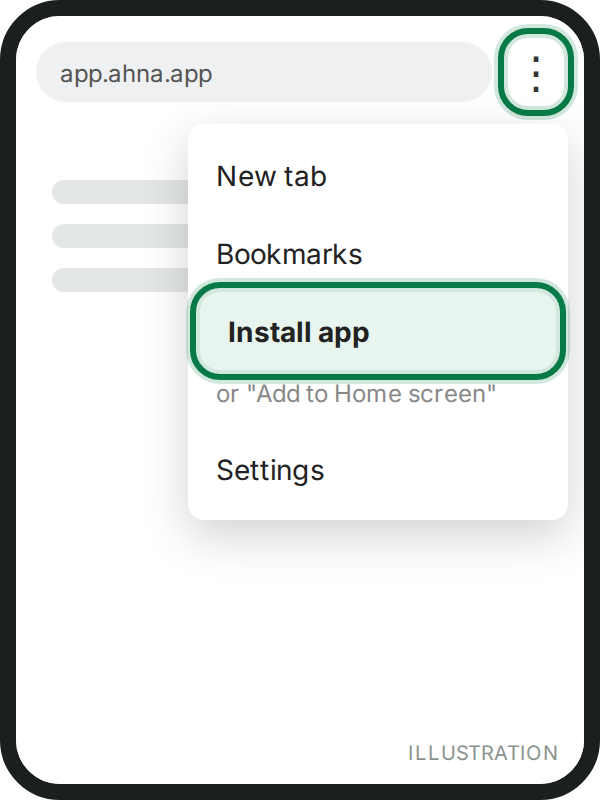
- Open app.ahna.app in Chrome and sign in.
- Tap Install when AHNA offers it (or Chrome's menu → Add to Home screen).
- Allow notifications when asked.
iPhone
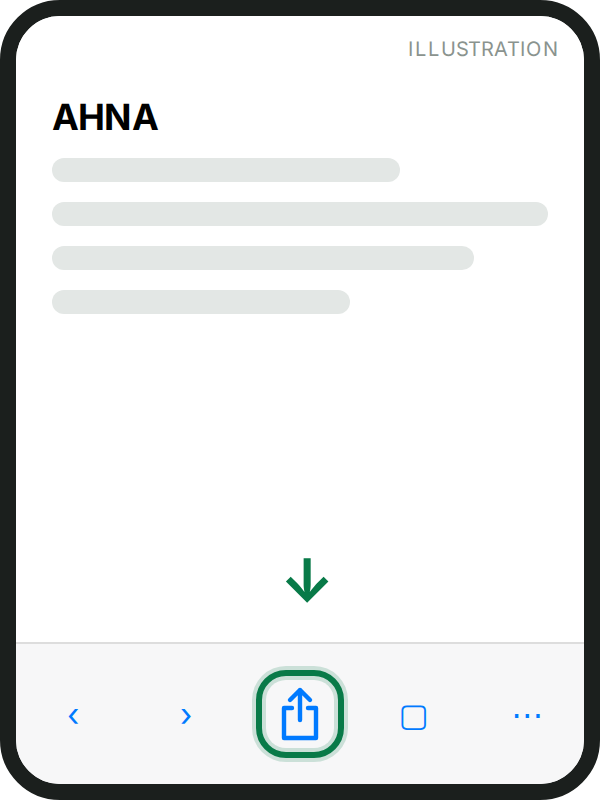
- Open app.ahna.app in Safari and sign in.
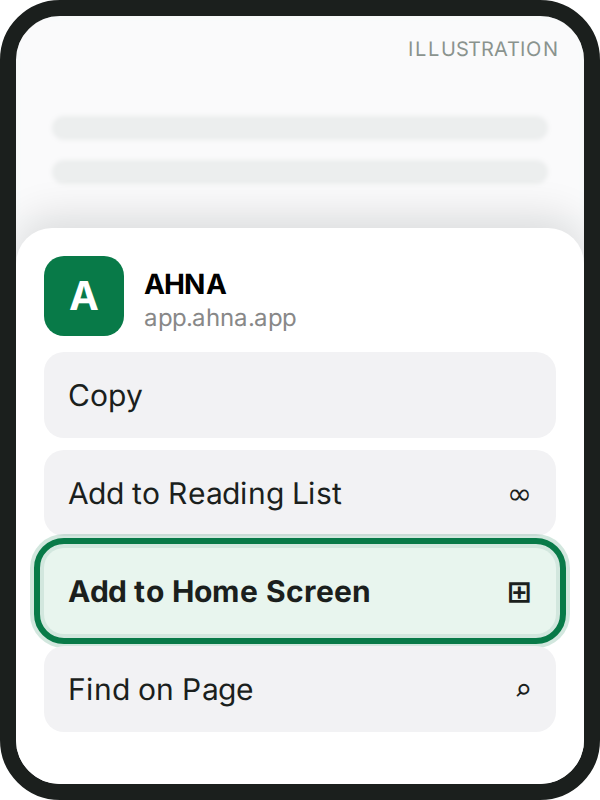
- Tap the Share button, then Add to Home Screen.
- Open AHNA from the new icon and allow notifications. On iPhone, notifications only work from the Home Screen icon.
All the steps with pictures, including opening an invitation from WhatsApp: Add AHNA to your phone.
Still nothing? Check your phone's settings allow notifications for AHNA (or for Safari/Chrome), then Me & settings → Notifications in AHNA.
Phones show only the first lines of a notification. Tap the small arrow, or pull it down, to read all of it.
Still stuck? Write to support@ahna.app.