Answer for games and trainings
Tap Going or Not going for each child. Coaches see it straight away.
- Open Schedule (or the next event on Home).
- For each child, tap ✓ Going or ✕ Not going. You can add a short note, for example "sick".
- Changed your mind? Tap the other answer. The coaches are told about the change.
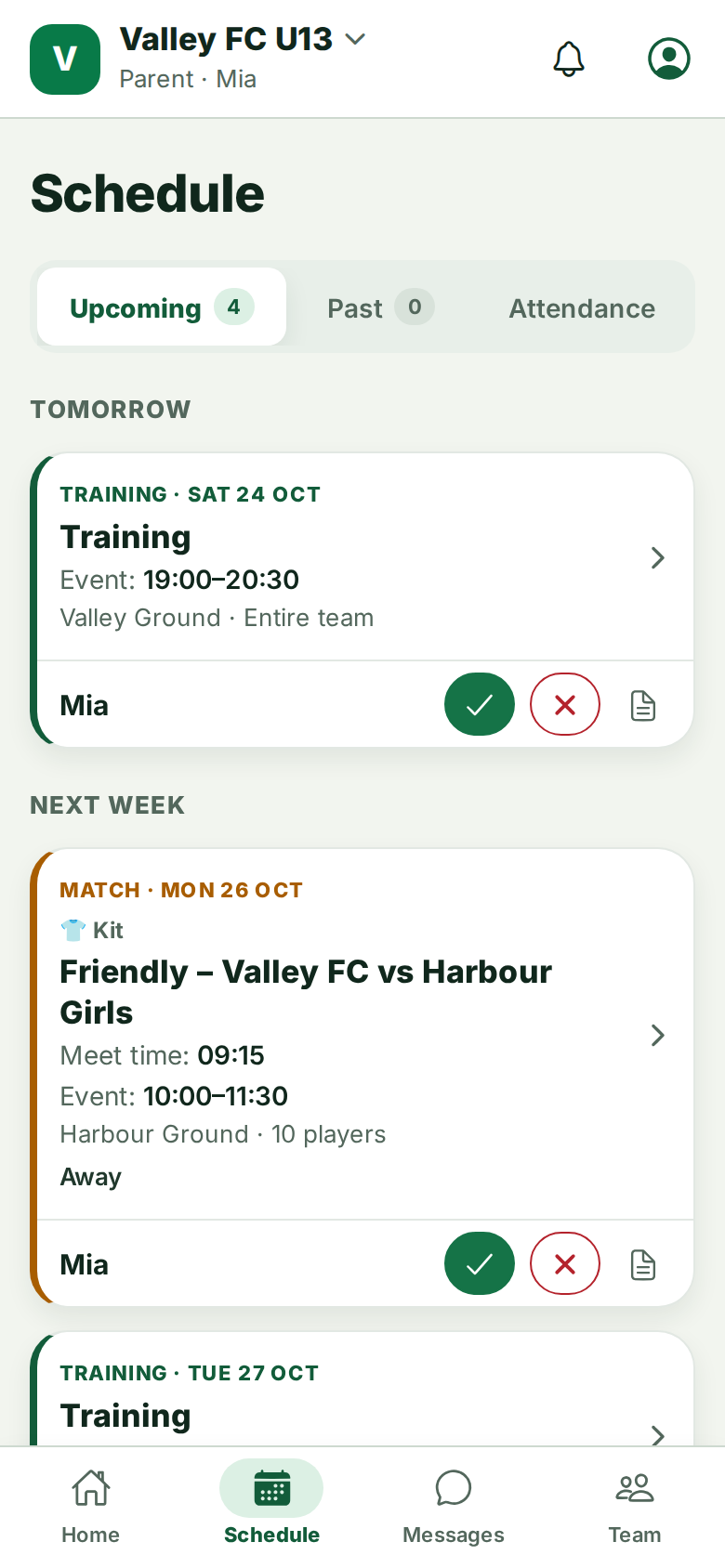
There are only two answers. Until you answer, your child shows as No answer and you may get a reminder.
Matches and call-ups
For matches the coach usually picks the squad. You will see Player Call-Ups Pending. until then, and a notification when your child is called up. If your child is not picked, you may still see the event with a note from the coach, without answer buttons.
Trips and socials ask how many adults and children are coming, so the coach can book.
Still stuck? Write to support@ahna.app.